Obsidian 图床插件开发
b 站视频
本插件代码已开源
下载模板
https://github.com/obsidianmd/obsidian-sample-plugin
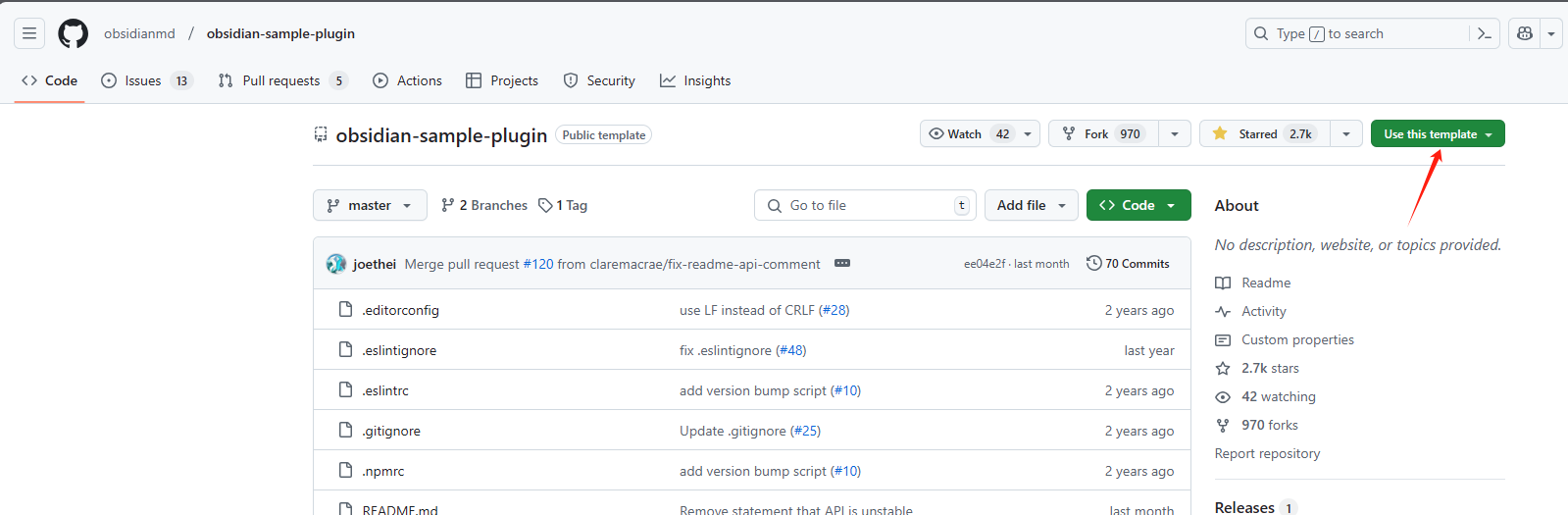
在你仓库的文件夹下的 .obsidian 下新建文件夹 plugins , 下载自己的复制的模板项目
git clone https://github.com/bobostudio/imgur.git
执行 npm install && npm run dev
开启插件
设置项目
修改 manifest.json, 修正你自己插件的名称,ID,版本,描述,作者,作者链接,资金链接,是否桌面插件
{
  "id": "bobostudio-obsidian-imgur",

  "name": "Obsidian Imgur Plugin",

  "version": "1.0.0",

  "minAppVersion": "0.15.0",

  "description": "Upload images to Imgur from Obsidian.",

  "author": "bobostudio",

  "authorUrl": "https://github.com/bobostudio",

  "fundingUrl": "https://github.com/bobostudio",

  "isDesktopOnly": false
}
重启 obsidian 可以看到插件信息已更新
修改 main.ts
更换 MyPlugin 为 ImgurPlugin
修改 onload 方法, 添加自己的插件逻辑
async onload() {
        await this.loadSettings();
        // This creates an icon in the left ribbon.
        const ribbonIconEl = this.addRibbonIcon(
            "dice",
            "Sample Plugin",
            (evt: MouseEvent) => {
                // Called when the user clicks the icon.
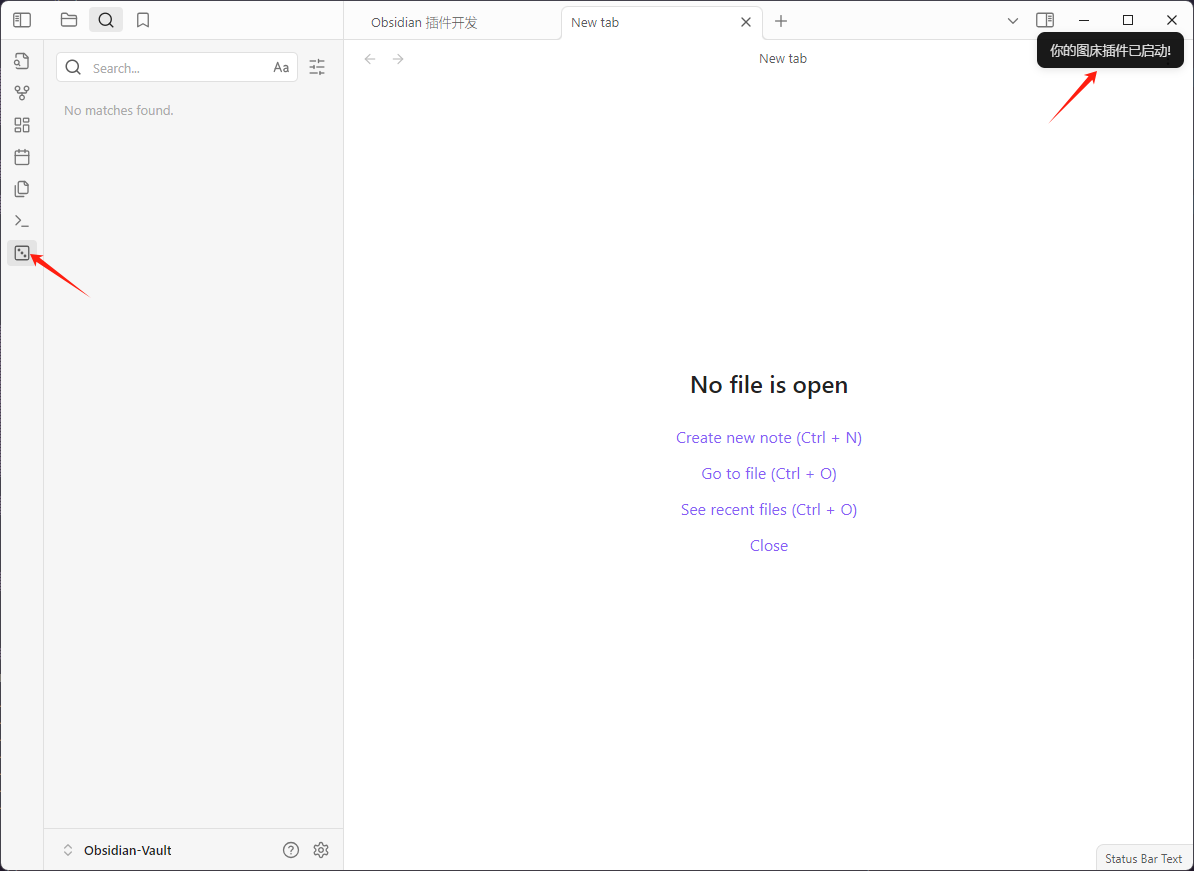
                new Notice("你的图床插件已启动!");
            }
        );
// 其他保持不变
重启 obsidian ,点击左边栏的骰子,可以看到插件已启动
添加自己的插件逻辑, 我这里使用腾讯云 COS 上传图片的主要代码
const filePath = "temp-file-to-upload"; // 本地文件路径
cos.uploadFile(
  {
    Bucket: "examplebucket-1250000000", // 填入您自己的存储桶,必须字段
    Region: "COS_REGION", // 存储桶所在地域,例如 ap-beijing,必须字段
    Key: "1.jpg", // 存储在桶里的对象键(例如1.jpg,a/b/test.txt),必须字段
    FilePath: filePath, // 必须
    SliceSize: 1024 * 1024 * 5, // 触发分块上传的阈值,超过5MB使用分块上传,非必须
    onTaskReady: function (taskId) {
      // 非必须
      console.log(taskId);
    },
    onProgress: function (progressData) {
      // 非必须
      console.log(JSON.stringify(progressData));
    },
    // 支持自定义headers 非必须
    Headers: {
      "x-cos-meta-test": 123,
    },
  },
  function (err, data) {
    if (err) {
      console.log("上传失败", err);
    } else {
      console.log("上传成功", data);
    }
  }
);
开发注意事项
插件开发过程中需要提前运行
npm run dev,并且在修改代码后需要重新关闭后开启让插件更新查看
console.log, 在 obsidian 按快捷键Ctrl+Shift+I出现跨域问题,在桶列表的安全管理添加跨域访问 CORS 设置,
app://obsidian.md
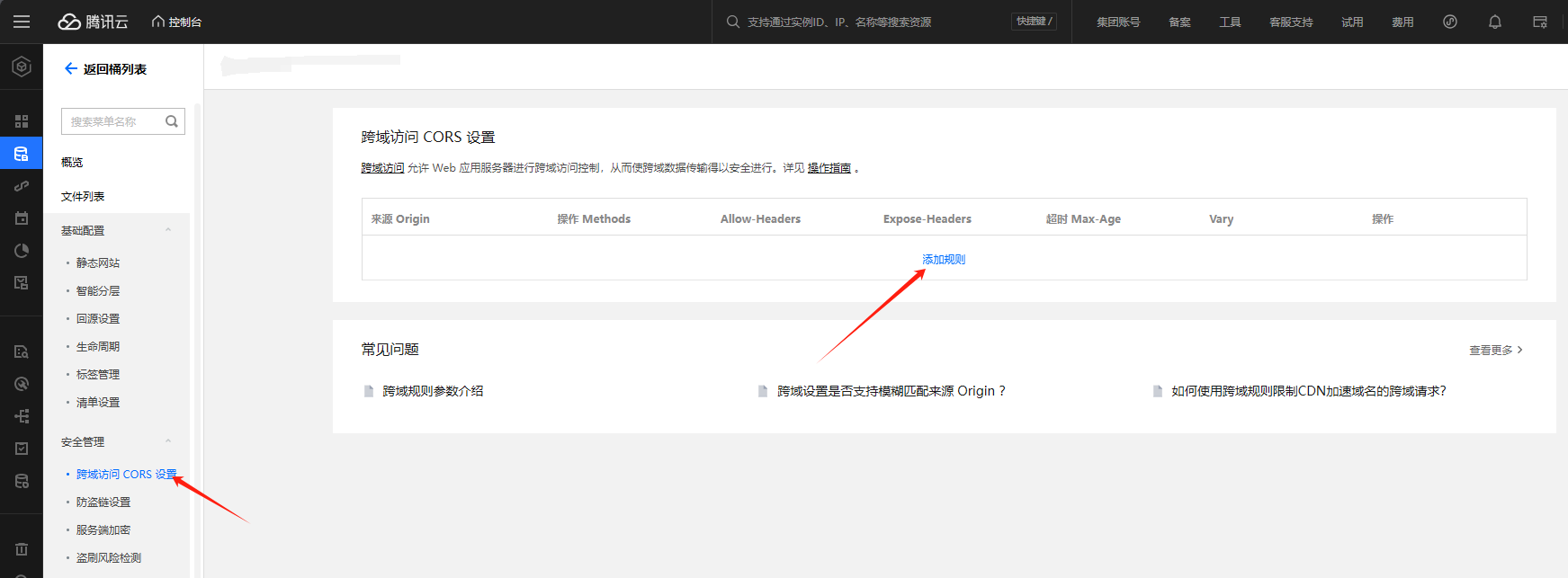
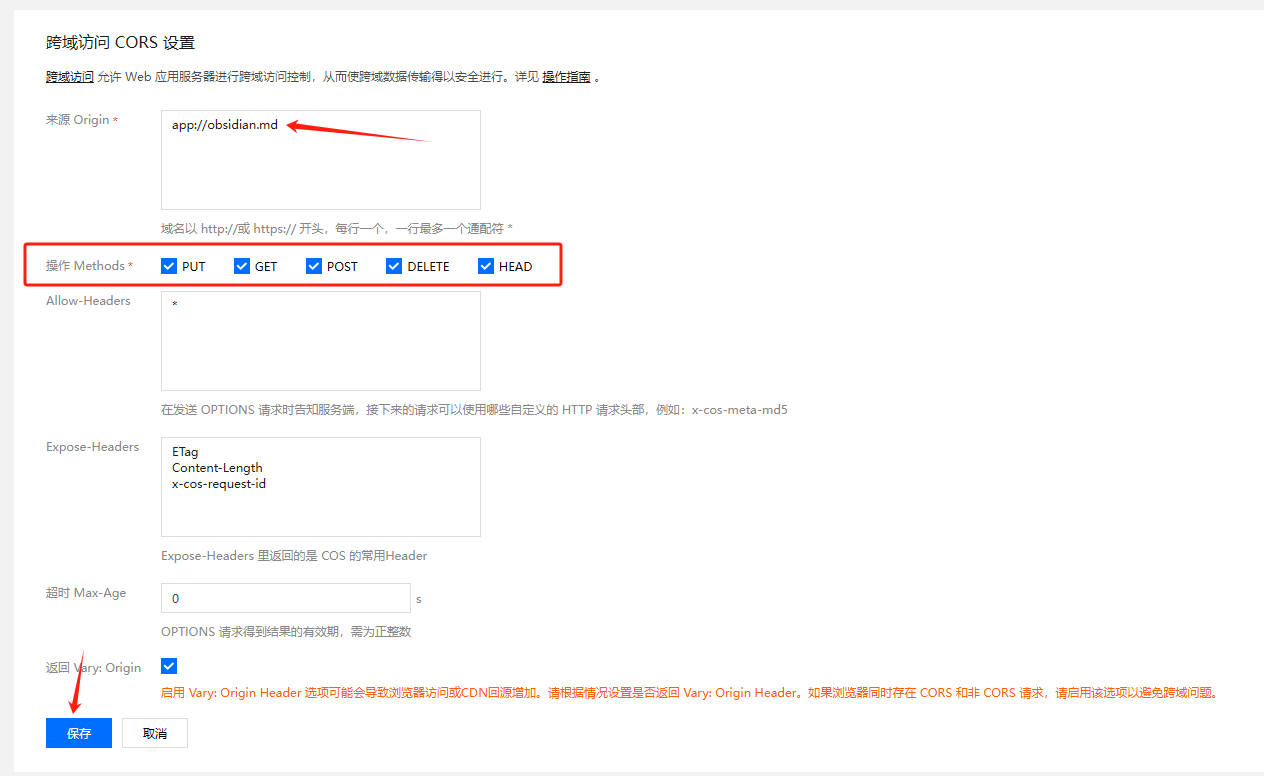
上传图片后无法访问图片地址需要去
桶列表把存储桶访问权限改为公有读私有写提交代码到自己的
Github仓库,需要打包发布Releases,上传主要文件main.js和manifest.json移除模板不必要的代码,
Sample开头的方法需要改成自己插件名称,不需要就去除,减少不必要的console.log删除文件需要使用
app.fileManager.trashFile(),确保文件按照用户的偏好设置被删除提交 PR 前,需要到 [community-plugins.json](Editing obsidian-releases/community-plugins.json at master · obsidianmd/obsidian-releases) 更新你的插件信息,必须与插件的
Github Releases配置文件manifest.jsonID 与版本一致, 不要出现Obsidian,Plugins等字样,不然提交 pr 不通过最后坐等
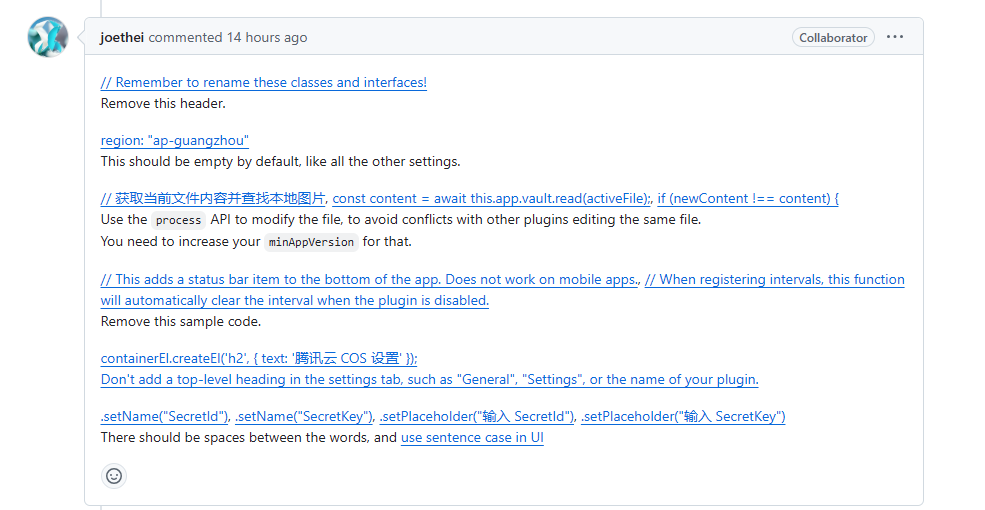
Obsidian官网审核